

PHASE 1 – PREPARATION
We Plan & Configure
You provide:
 Facility information
- Panel / MCC photos
- Basic electrical details
We:
- Review each panel
- Determine sensor requirements
- Configure the hardware


See how Opti‑mized is deployed, connected, and activated in 7 simple steps.
Every facility is different, but the installation process stays structured and straightforward. From initial review through launch, each step is designed to get your system installed properly and ready to start generating facility intelligence.
 Minimal disruption to your facility
 Structured installation and verification
 Live intelligence starts fast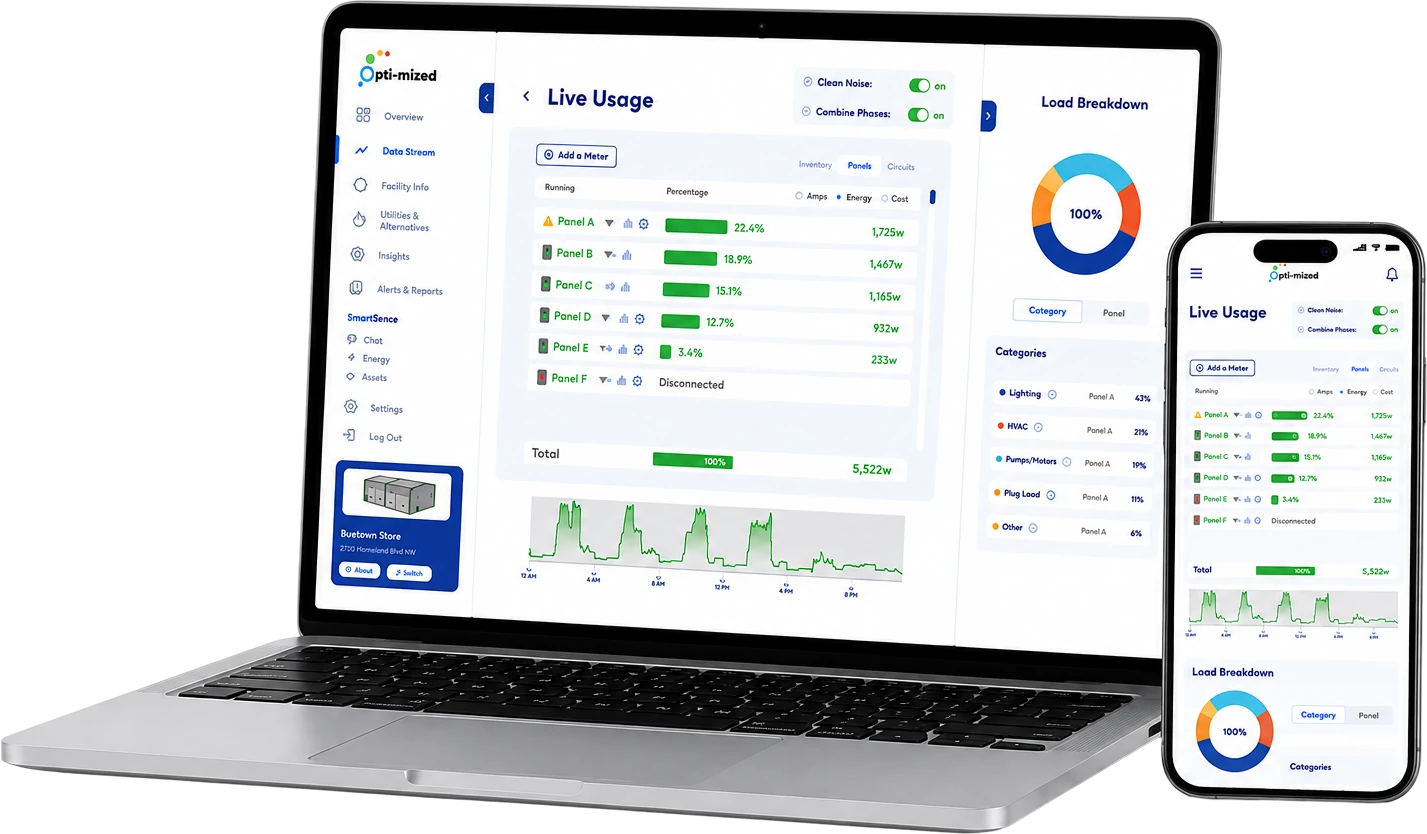
 Plan
We review your facility and understand your objectives.
Plan
We review your facility and understand your objectives.
 Configure
The system is tailored to your panels and monitoring needs.
Configure
The system is tailored to your panels and monitoring needs.
 Deliver
Hardware is shipped ready to install with everything you need.
Deliver
Hardware is shipped ready to install with everything you need.
 Install
Gateway and sensors are installed quickly and non-invasively.
Install
Gateway and sensors are installed quickly and non-invasively.
 Connect
The gateway connects to your network and comes online.
Connect
The gateway connects to your network and comes online.
 Verify
We verify data quality and system accuracy together.
Verify
We verify data quality and system accuracy together.
 Launch
Your system is live and intelligence starts flowing.
Launch
Your system is live and intelligence starts flowing.
From planning to activation, we make the process simple, structured, and hassle-free.
You provide:
Facility informationPanel / MCC photosBasic electrical detailsWe:
Review each panelDetermine sensor requirementsConfigure the hardware
 Hardware arrives configuredQualified personnel complete the physical installationSensors clip onto the required circuitsGateway connects the systemMinimal facility disruption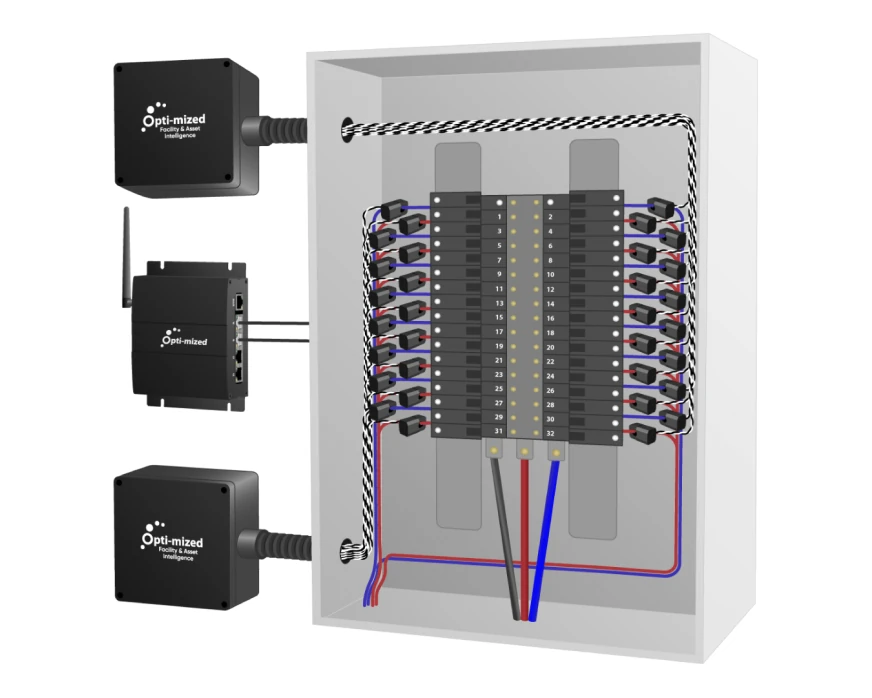

 Data quality is checkedEquipment mapping is confirmedPlatform is commissionedIntelligence begins buildingSystem continues operating with minimal ongoing maintenance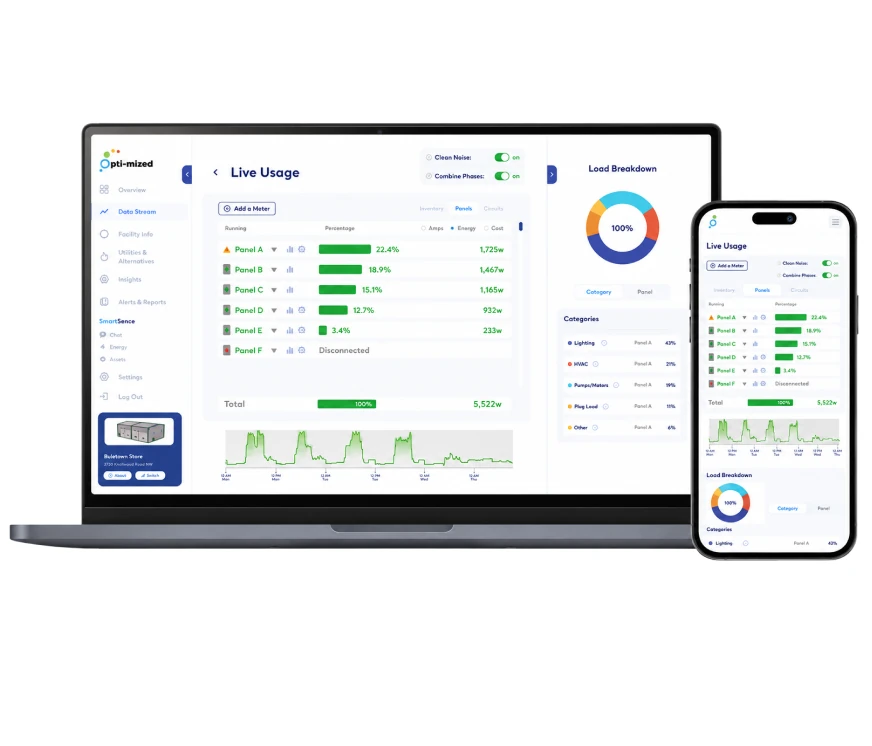
 Every step is designed to get your system installed properly and get you to intelligence fast.
 Minimal disruption. Maximum insight.
PHASE 1 - PREPARATION
01Step 1 - PlanEvery deployment begins with a detailed facility assessment. By reviewing electrical panels, MCCs, and switchgear, our team can evaluate infrastructure requirements, configure the system architecture, and prepare the platform before installation begins.

Identify the optimal hardware, sensor, and communication configuration based on the facility’s electrical infrastructure.

Identify major systems, equipment, and electrical distribution pathways to support deployment, reporting, and future facility intelligence.
PHASE 1 - PREPARATION
02Step 2 - ConfigureEvery Facility Operates Differently
Before the platform becomes active, we configure key facility information to ensure dashboards, reporting, and future insights reflect how your building actually operates.

Establish normal operating schedules so the platform can accurately distinguish between expected activity and potential operational inefficiencies.

Configure building-specific information and environmental factors that influence facility operation and performance.

Prepare the dashboard structure, system organization, and reporting framework prior to deployment.
PHASE 1 - PREPARATION
03Step 3 - DeliverOnce the facility review and configuration are complete, the required hardware is prepared and shipped directly to the installation location. Each deployment includes the hardware, documentation, and supporting materials required to ensure a smooth installation process.

All required monitoring hardware based on your facility requirements.

Deployment information and installation guidance.

Hardware prepared and configured prior to shipment.
PHASE 2 - ON-SITE DEPLOYMENT
04Step 4 - Install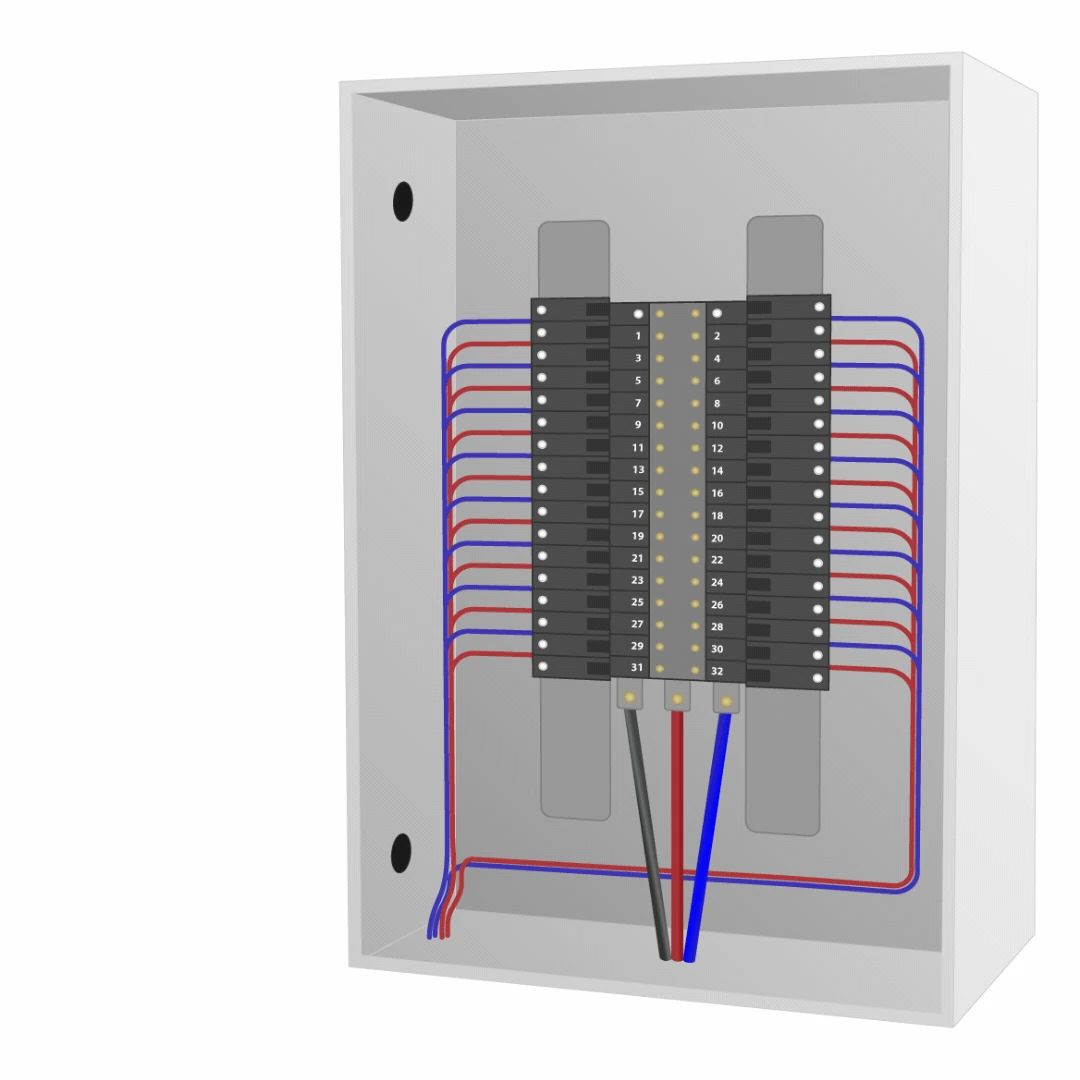
CT clamps are simply clipped around the wires connected to each individual circuit breaker — with no rewiring, shutdowns, or major modifications required.
Each CT clamp is labeled based on the circuit it is connected to, creating a clean and organized setup for capturing real-time electrical activity throughout the facility.
The CT hub is mounted at the panel and each labeled CT clamp plugs straight into it. The hub collects circuit-level readings and passes them to the gateway, with no new wiring through the facility.
Every hub is pre-configured for the panel it serves, so installers mount it, connect the clamps, and move on to the next panel.
The gateway is mounted near the panels and powered from a standard outlet. It gathers the data from every CT hub on site and securely sends it to the Opti‑mized platform.
One gateway can support multiple panels, and more hubs can be added later as monitoring expands.
PHASE 2 - ON-SITE DEPLOYMENT
05Step 5 - ConnectGetting Your System Online
Once installation is complete, the gateway is connected to the internet and commissioned within the platform. The process is designed to be simple, allowing facilities to get connected and begin collecting data quickly.

Connect directly to the facility network using a standard Ethernet connection for a fast and reliable connection.

Connect to a wireless network through a simple setup process similar to connecting a mobile device.

Where facility network access is unavailable or restricted, an optional cellular connection can be used to securely connect the system to the cloud platform.
The gateway is designed to make commissioning straightforward. Whether using Ethernet, Wi-Fi, or optional cellular connectivity, the system establishes a secure connection to the cloud platform with minimal network configuration. All communication is encrypted and initiated from within the facility network. No inbound connections are required, helping simplify deployment while maintaining secure communications.
Learn more about Connectivity & Data Security
Learn MorePHASE 3 - ACTIVATION
06Step 6 - VerifyEnsuring Everything Is Working As Expected
Before the platform is activated, our team performs a series of validation checks to verify that hardware, communications, and data collection are operating correctly. This final review helps ensure the system is functioning properly and ready to begin delivering accurate facility insights.

Confirm that sensors and gateways are communicating properly and that data is being received as expected.

Verify that hardware, connectivity, and platform configuration have been successfully completed.

Perform final checks to ensure the deployment meets operational requirements before activation.
PHASE 3 - ACTIVATION
07Step 7 - LaunchInstallation Complete. Now The Real Value Begins.
The installation process takes just a few steps. The insights that follow can help facilities uncover hidden energy loss, improve operations, and gain a clearer understanding of how their buildings actually perform.

Real-time visibility into facility operation.

Identify where energy and operating dollars are being lost.

Gain early visibility into equipment performance and potential issues.
 AFTER DEPLOYMENT
The physical deployment shouldn’t create another system your facility has to constantly manage.

Designed for continuous operation without routine intervention.

Software and system improvements can be deployed remotely.

Configuration and technical support can be handled remotely when needed.

Data continues flowing securely into Opti‑mized.

The system remains in place continuously, building a long-term view of facility operation.

Add panels, circuits, or additional systems as facility needs grow.

Once installed and commissioned, Opti‑mized works in the background so your team can focus on what matters most.
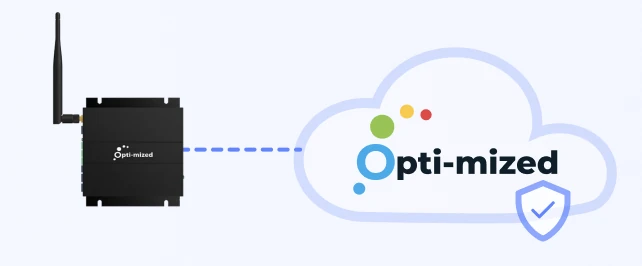
 Opti‑mized Hardware
We Recommend the Right Configuration.
Tell us about your facility and upload photos of your panels, MCCs, and switchgear. We’ll review each one and recommend the right Opti‑mized hardware configuration for your facility.
 Plan My Facility Setup
 Panels + MCCs + Switchgear
 Panel-by-Panel Review
 Configured for Your Facility
 1Tell Us About Your Facility
 2Upload Your Panel Photos
 3We Review Each Panel
 4Recommended Setup
We review each panel to understand your setup.
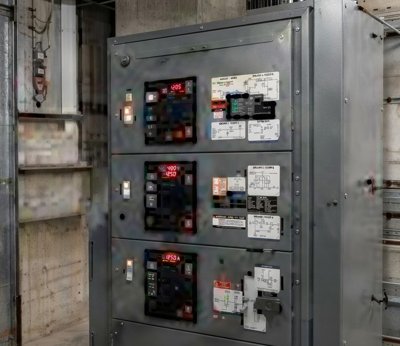 Panel A
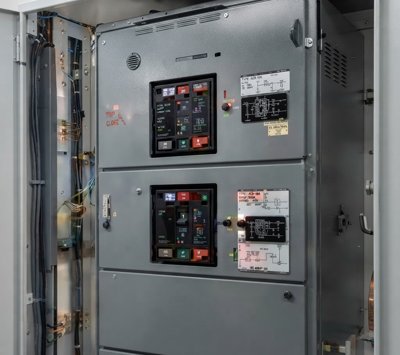 Panel B
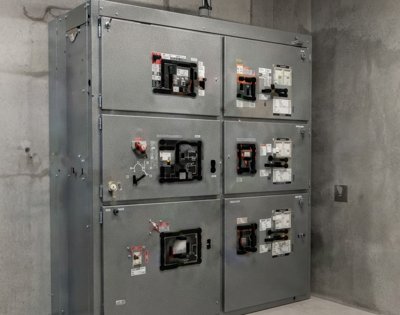 MCC-1
MCC-1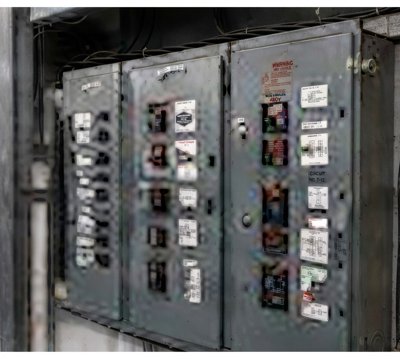 Panel D
Hardware matched to your panels.
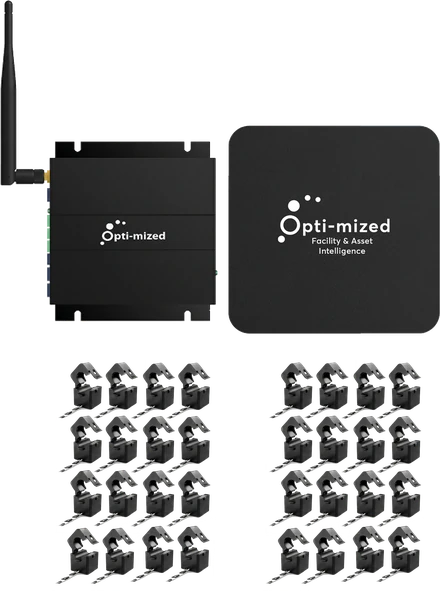
 Panel-by-panel hardware plan
 Correct sensor count
 Gateway and expansion mapping
 Deployment-ready configuration
Recommended Setup — Based on Your Panel Photos
Stay Informed
Get early access to insights, product updates, and new opportunities to better understand and improve facility performance.
By subscribing, you agree to Opti-mized’s Terms & Conditions and Privacy Policy.